
Saleem AI · Structured AI Learning & Evaluation Engine for Mentors
For teachers of every subjectPlan, assess and act on evidence.
In minutes, not evenings.
Saleem AI turns the AI you already use into a structured teaching system: expert workflows for planning, assessment and marking, plus a gradebook that shows exactly which standards each student has mastered.
Works with ChatGPT, Claude, Gemini and Copilot (free plans included). Student data never leaves your device.
AI should save teachers time.
Mostly, it creates more work.
Blank chat boxes give generic answers. Good results depend on long, expert prompts that teachers don't have time to write — and the output still has to be checked, formatted, marked and recorded somewhere else.
One loop: plan → assess → mark → reteach
Describe what you need
Pick a workflow and fill in a few fields. Saleem AI wraps them in an expert-structured prompt that already knows your subject, grade and curriculum.
Run it in your own AI
One click opens ChatGPT or Claude with the prompt filled in (or copies it for Gemini and Copilot). No extra AI subscription required.
Bring the result back
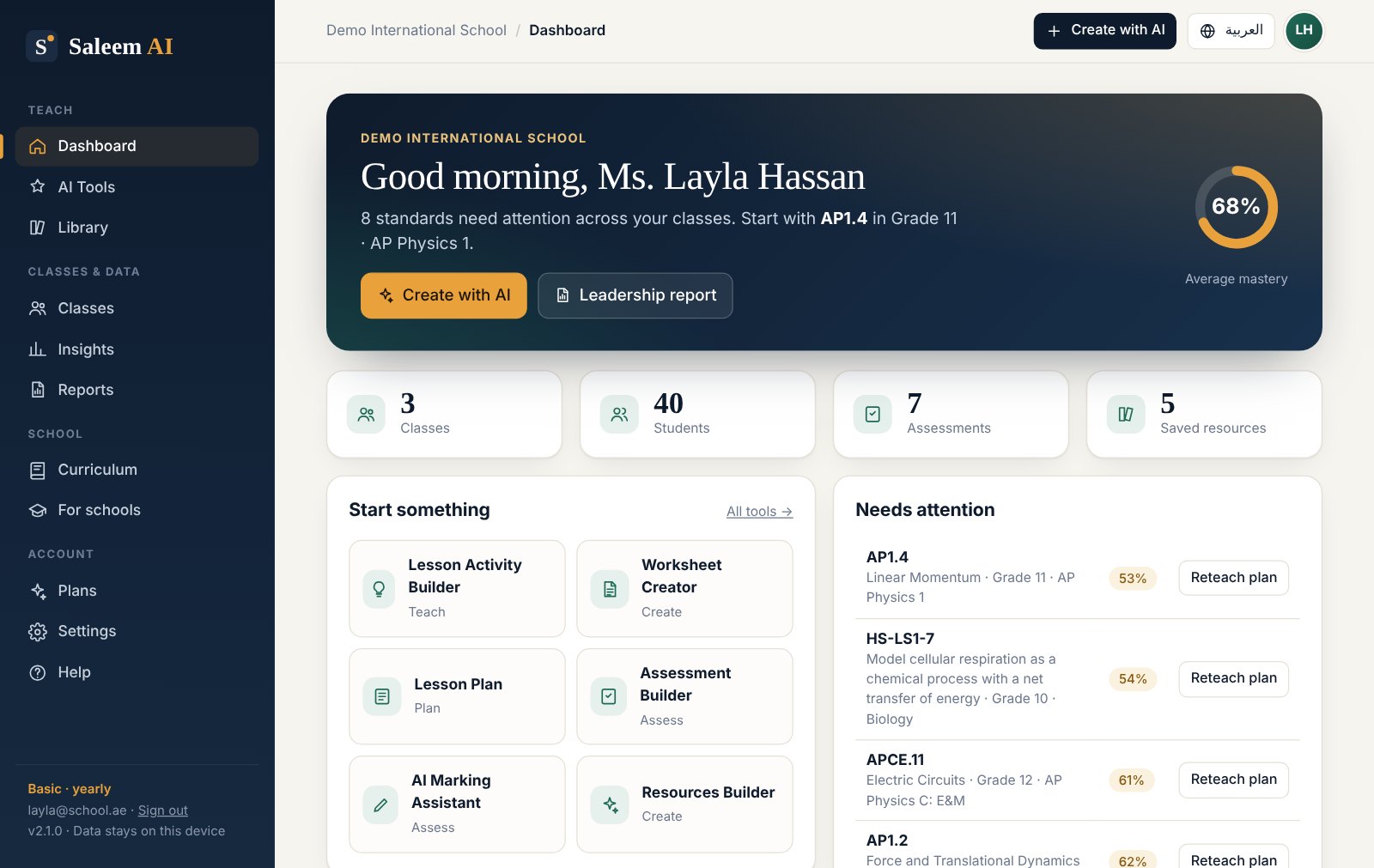
Paste the answer in. Tests become gradebook assessments, AI marks become scores, and scores become a mastery map with reteach plans.
Mark a class set against your rubric — without exposing a single name.
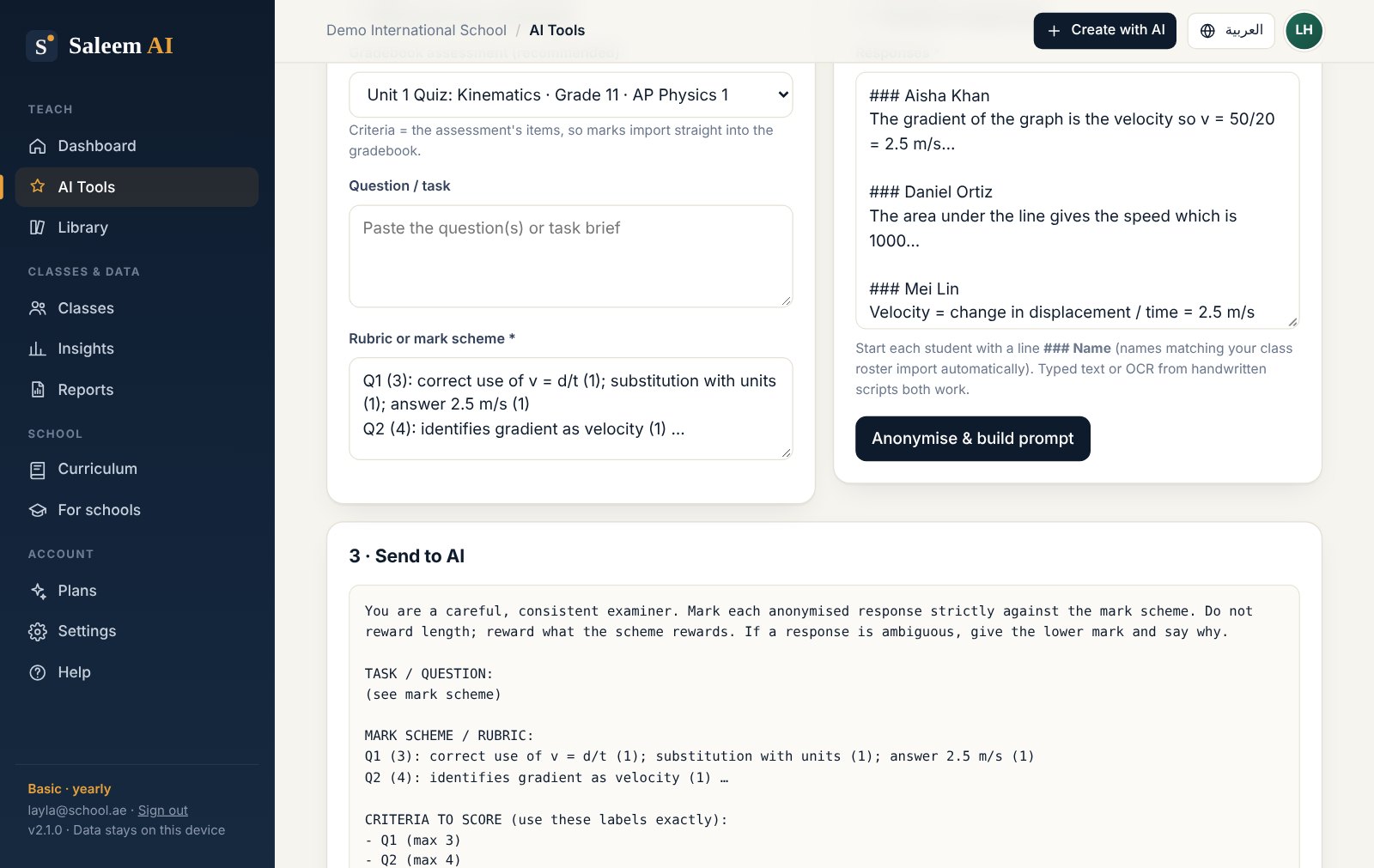
Paste responses, and Saleem AI replaces every name with a code before building the prompt. The AI returns scores in a structured format that you review, adjust and record in one click.
- Anonymised automatically (S01, S02…) — the key stays on your device
- Criterion-by-criterion scores plus feedback for every student
- Class-wide error patterns and a 10-minute reteach idea
- You approve every mark before it reaches the gradebook
See which standards are secure — and what to do tomorrow.
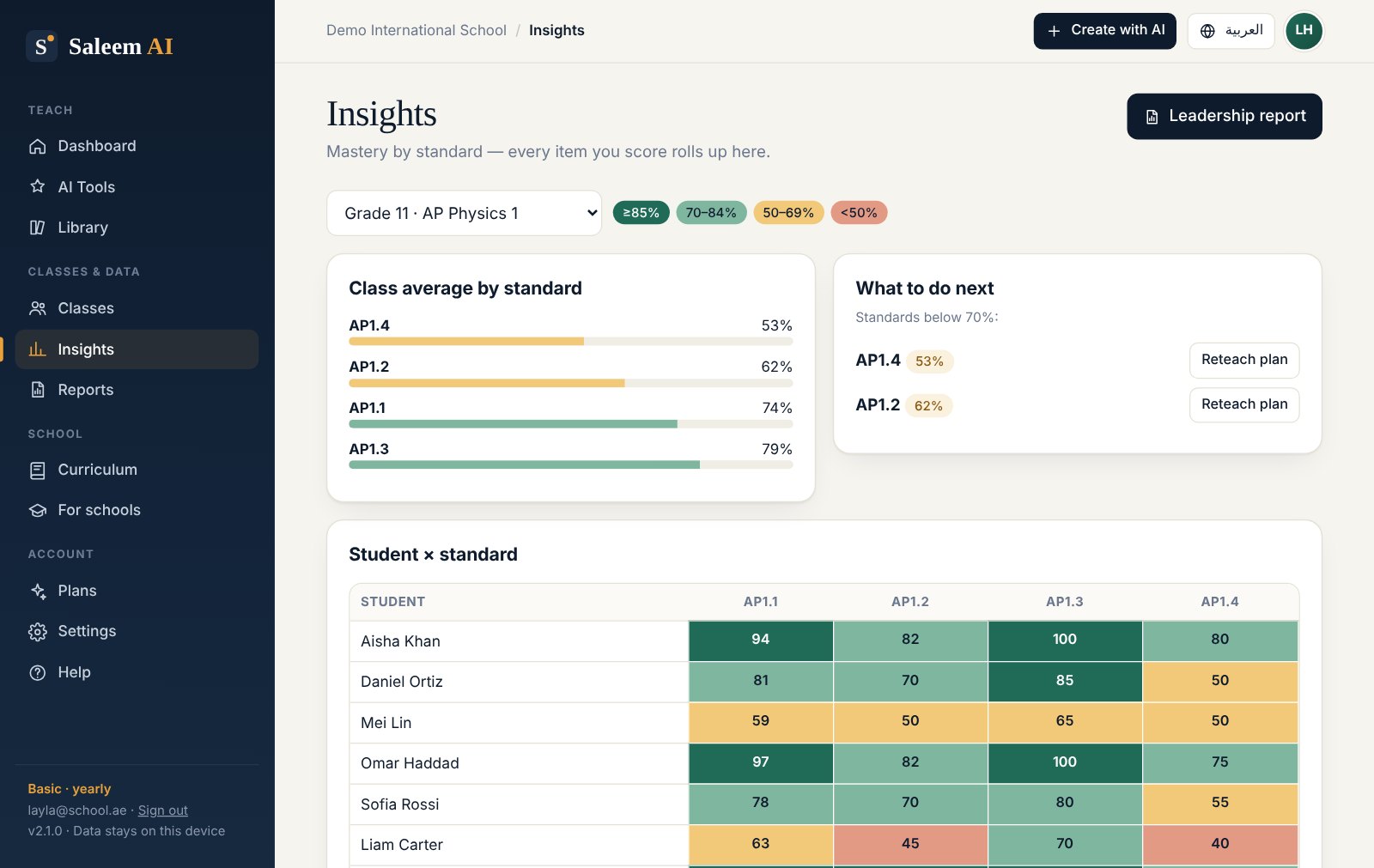
Every question is tagged to a standard. Saleem AI rolls item scores up into a student-by-standard mastery map and flags anything below 70% with a one-click, data-driven reteach plan.
- AI-generated tests import their item table directly
- Fast keyboard score entry and CSV export
- Reteach plans built from your class's actual results
Interactive simulations and figures, without writing code.
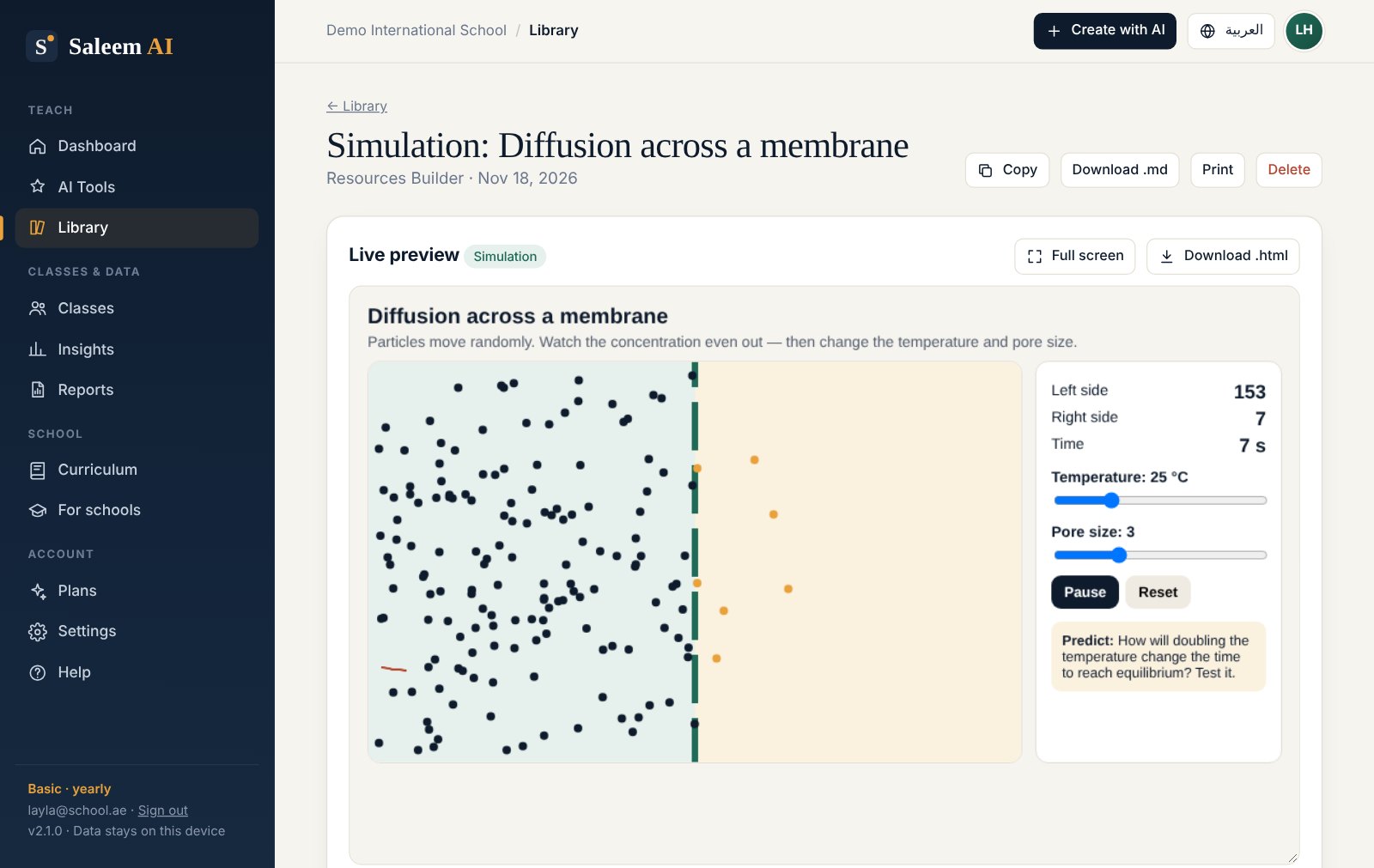
Describe what students should explore. Your AI writes the simulation, diagram or explainer, and Saleem AI shows it live, ready to present full screen or share on your LMS.
- Simulations: sliders, live readouts and graphs, plus a "how this model works" panel
- Figures: labelled SVG diagrams, with an optional blank-label worksheet version
- Explanations: printable explainers with worked examples and self-checks
- Runs in a secure sandbox and downloads as a single file that works offline
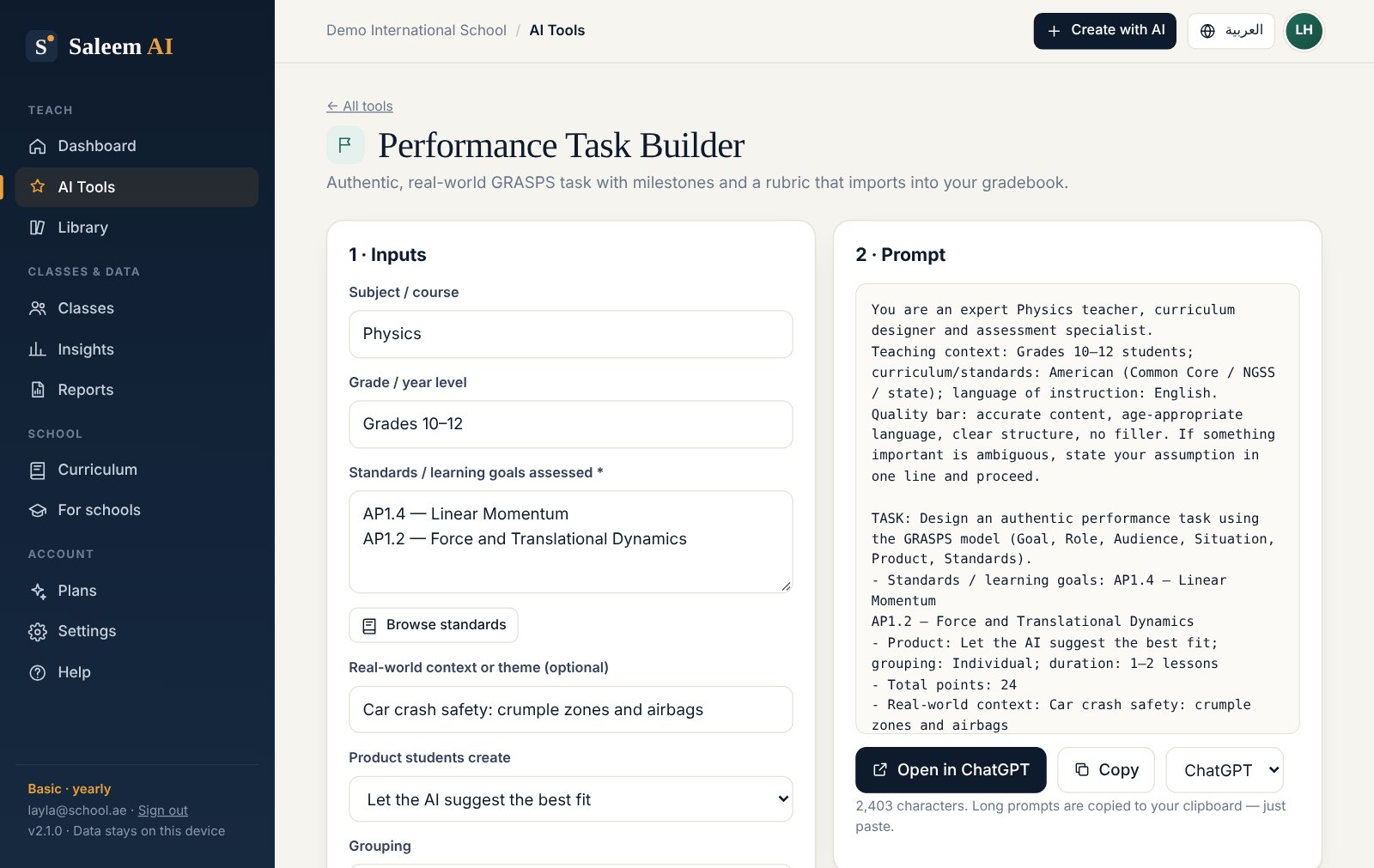
Authentic tasks that measure transfer, not recall.
Generate a real-world GRASPS task with a student brief, milestones, scaffolds and an analytic rubric. The rubric criteria become gradebook columns, so performance tasks feed the same mastery map as your tests.
- Individual and group options, with individual accountability built in
- Mark with the AI Marking Assistant against the same criteria
Fourteen expert workflows, any subject
Each one encodes how experienced teachers and assessment designers actually work.
Your class data stays on your device. Full stop.
Your account holds only your email, name and plan. Rosters, scores and resources live in your browser, never on our servers, and you can export a backup at any time.
- No sign-up, no tracking of your classes
- Names anonymised before any marking prompt is built
- Use the AI your school has approved
- Works offline once loaded; export and import backups as JSON
- Delete everything in one click
Start with a 3-day free trial. Pick a plan when it earns its place.
Prices in USD. Tax is added at checkout where required. Cancel any time.
Basic
Every tool, using the AI you already have.
- All 14 teaching & assessment tools
- Works with free ChatGPT, Gemini, Claude or Copilot
- Word, Slides & PDF export with your school's templates
- Standards gradebook, mastery map & insights
- Student data stays on your device
Standard
The built-in AI agent does the work for you.
- Everything in Basic
- Ask in plain words: no prompts, no copy-paste
- Marks class sets and builds quizzes, lessons and simulations straight into your classes
- 4 simulations · 6 marking sets · 300 requests a month
Pro
For teachers who use the agent every day.
- Everything in Standard
- 15 simulations · 20 marking sets · 1,000 requests a month
- Priority email support
Try a plan for a week from $2, or save 30–36% by paying yearly. Need more time before you decide? Extend your free trial by 3 days for $1. Your first payment on any plan has a 14-day money-back guarantee. Schools and departments: ask us about invoice billing using the form below.
One toolkit for the whole department. Evidence for the leadership team.
Give every teacher the same planning, assessment and reporting system, share your templates and curriculum in one file, and see mastery across classes — in English and Arabic.
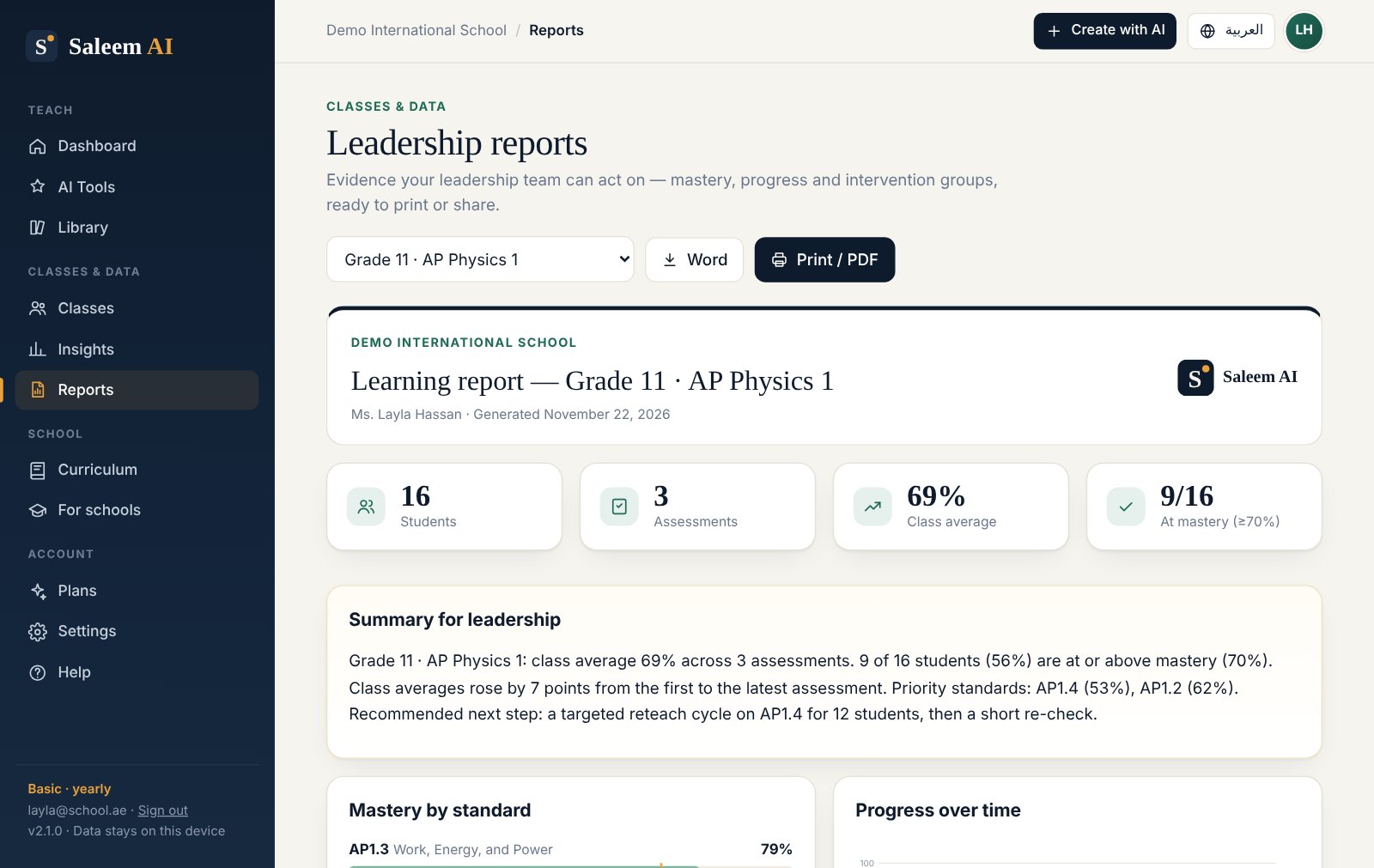
Class and department reports with mastery by standard, progress over time and intervention groups. Print, save as PDF or download as Word in one click.
AP, NGSS, Common Core, AQA GCSE and A-level, Cambridge IGCSE and IB built in — plus your own UAE MoE outcomes or school scope and sequence.
A right-to-left Arabic interface, and Arabic or bilingual English–Arabic resources from every tool, for UAE and Gulf classrooms.
Heads of department bundle Word and PowerPoint templates, curriculum packs and chosen resources. Teachers import them in one click.
Class lists, names and marks stay on each teacher's device. Student names are replaced with codes before anything is marked.
From 5 teachers, billed yearly by invoice or purchase order, with a live onboarding session for your staff and priority support.
Request a school quote
We reply by email, usually within one working day.
Saleem Abdo — founder
Saleem teaches high-school physics, including AP Physics 2 and AP Physics C: Electricity & Magnetism, at an American-curriculum school in Dubai, where he has taught since 2019 and developed the E&M curriculum. He is licensed by the UAE Ministry of Education, works as an educational consultant, and holds a master's in cybersecurity from Rochester Institute of Technology. That last part is why Saleem AI keeps your students' data on your own device.
Questions, answered
Do I need a paid AI subscription?
No. Saleem AI works with free plans of ChatGPT, Claude, Gemini and Copilot. Paid AI plans can handle longer prompts (such as marking a full class set at once), but they're optional.
Which subjects and curricula does it support?
Any subject and grade level. You set your subject, grades and curriculum (American, AP, IB, British, UAE MOE, CBSE and others), and every workflow adapts to them.
Do I need an account?
Yes, a free one. Sign up with your email or Google, then start your 3-day free trial or choose a plan. Your plan is linked to your account, so it works on any device you sign in on. The account holds only your email, name and plan — never your classes or students.
Where is my data stored?
Only in your browser on your device. Your account doesn't hold class data and neither do our servers. To work on another device, export a backup in Settings and import it there. Export a backup regularly, especially before clearing your browser data.
Is AI marking reliable?
It's a strong first pass when you give it a precise mark scheme, and it's fastest on short and structured responses. Saleem AI is designed so that you review every mark before it is recorded. You remain the examiner.
How do the plans work?
Every new account can start a 3-day free trial, once. Basic ($2/week, $6.99/month or $58.99/year) gives you every tool using your own AI. Standard ($5/week, $17/month or $139.99/year) and Pro ($7/week, $25.99/month or $199.99/year) add the built-in AI agent, which does the work for you with no copy-paste. Yearly plans save 30–36%.
Can I get more time on my free trial?
Yes, once. Near the end of your trial, open Plans and choose Extend for $1 to add 3 more days. It's a single payment, not a subscription.
How do I activate my plan?
There's nothing to activate. Sign in, open Plans and choose one. Pay with the same email as your account and the plan switches on automatically within a minute — on every device you sign in on.
Can I cancel any time?
Yes. Open Plans → Manage billing in the app (or use the link in your receipt email) to cancel. You keep access until the end of the period you've paid for, and your classes and library stay on your device.
Can my school pay by invoice?
Yes. School licences are billed annually by invoice or purchase order. Use the school quote form to tell us about your department — every school plan includes leadership reports, department packs, the Arabic interface and a live onboarding session.
What's your refund policy?
If your first payment on any plan isn't worth it, email us within 14 days for a full refund.
Be first to try the built-in AI agent
Join the Standard & Pro waitlist, ask about a plan for your school or department, or send us a question. Unsubscribe any time.
Prefer email? Write to support@saleemabdo.com. We'll only email you about Saleem AI. See our privacy policy.